
NAS 속 사진을 아름다운 슬라이드쇼로
Synology Photos, Immich 또는 WebDAV를 지원하는 모든 NAS에 연결하세요. 업로드는 전혀 없습니다. 오래된 태블릿이나 TV가 액자가 됩니다.
iPhone, iPad, 안드로이드 휴대폰과 태블릿, Apple TV, Android TV용






21:10
Pixette 실제 모습 보기

사용 방법
세 단계. 아무것도 네트워크를 벗어나지 않습니다.


NAS 연결하기
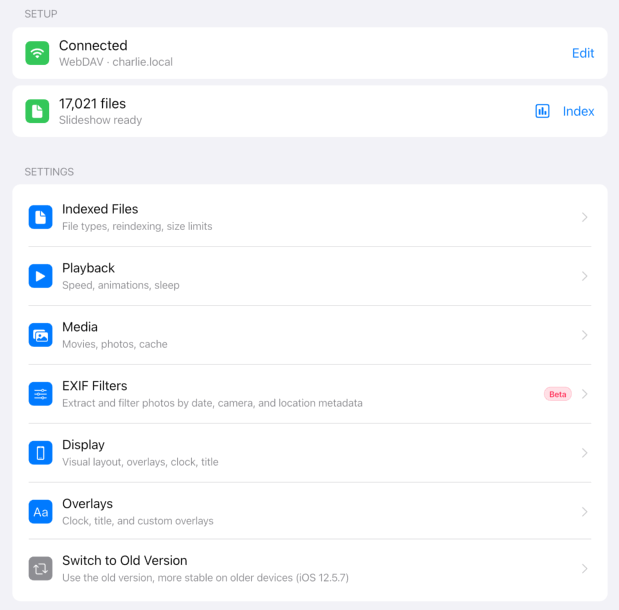
Synology Photos 또는 Immich에 로그인하거나, WebDAV로 연결하세요(QNAP, Nextcloud, TrueNAS). NAS가 없어도 기기에 있는 사진을 사용할 수 있습니다.
폴더 선택하기
원하는 폴더만 고르세요. Pixette가 색인한 뒤 모두 섞어 하나의 재생 목록으로 만듭니다.
슬라이드쇼 즐기기
잊고 있던 사진들이 다시 화면으로. 오래된 태블릿을 걸어 액자로 쓰거나, Apple TV와 Android TV에서 재생해 보세요.
필요한 모든 것
화면에서 아름답게 빛납니다
내 정보를 내 방식대로
방 안에 살아 숨 쉬는 액자
사용자들이 사랑하는 앱
"My problem - Synology NAS drive with almost 70K photos accumulated over 20+ years and no easy way to view them. Got a gently used iPad and with this app turned it into a very decent slideshow device. Setup was quite straightforward."
FrameNerd42
App Store"I needed an app to turn an old iPad into a slideshow / digital frame. There are a lot of photos / they won't fit on the local storage of the old iPad. Set this app up to view the share on my NAS, indexed and it worked like a champ."
SlideshowSteve
App Store"Great creative app for Synology NAS users. It has been two weeks and our family is reliving our memories for many years. I have more than 100k photos in my collection."
PhotoDadMarc
App Store